 how-to
Clear Communication With Servers: A Legal Guide
Last Updated: October 23, 2026
Quick Summary
Clear communication with servers is essential in legal document delivery because it ensures servers know what you need, where to find the defendant, what constraints apply, and how to update you. When communication is clear, servers avoid guessing, catch problems early, and deliver results that hold up in court.
- Provide specific defendant details including full legal name, date of birth, physical description, last known address, workplace, vehicle information, and social media profiles.
- Document case-specific instructions about service type, timing requirements, documentation needs, and any safety concerns before service begins.
- Establish an update schedule and preferred communication method with your server before service starts to prevent miscommunication about case progress.
- Use a written template to standardize how your legal team communicates with process servers, ensuring consistency and reducing errors.
- Confirm key details with your server by having them repeat back critical information, catching most errors before service occurs.
Table of Contents
- Why Clear Communication With Servers Matters in Legal Proceedings
- Information to Provide to a Process Server
- Process Server Instructions Template for Your Legal Team
- How to Communicate Dietary Restrictions, Allergies, and Accessibility Needs
- Process Server Status Updates: Staying Informed Throughout Service
- What to Expect From a Process Server and How to Set Clear Expectations
- Handling Mistakes, Delays, and Service Complaints Respectfully
- Communication Barriers in Busy or Noisy Environments
- Frequently Asked Questions
Why Clear Communication With Servers Matters in Legal Proceedings
Clear communication with servers is essential in legal document delivery.
The smoothest cases aren't the simplest ones, they're the ones where attorneys communicate expectations clearly upfront.
Hiring a process server delegates a critical task, but delegation doesn't mean stepping back.
When communication is clear, servers know what you need, where to find the defendant, what constraints apply, and how to update you.
Information to Provide to a Process Server
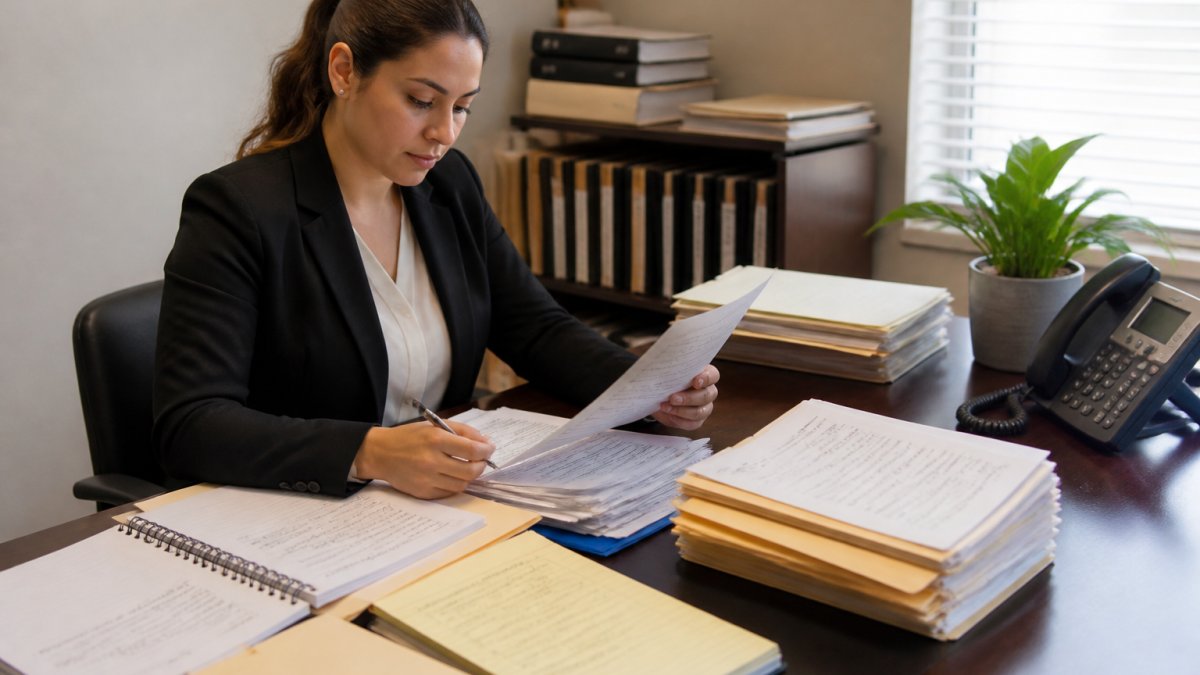
Your process server needs specific, actionable information. Vague instructions guarantee failure, you're providing the roadmap for a critical legal task, not just a name and address.
Defendant Details and Location Information
Start with what you know about the defendant. Name alone isn't enough. Include:
- Full legal name (maiden names, aliases, nicknames the defendant uses)
- Date of birth (helps confirm you have the right person)
- Physical description (height, build, identifying marks, tattoos)
The more details you provide, the faster your server can locate and serve the defendant. If the defendant is avoiding service, these details become critical, a server with incomplete information is working blind.
Case-Specific Instructions and Constraints
Tell your server what matters for your specific case.
Document what the server needs to know:
- Type of service required (personal, substituted, certified mail, electronic)
- Whether the defendant must be served in person or if alternatives are acceptable
- Specific instructions about timing (before a certain date, after a certain date, specific time of day)
Clear case-specific instructions prevent assumptions, and assumptions lead to improper service and case dismissal.
Process Server Instructions Template for Your Legal Team
Use this template to standardize how your team communicates with process servers. Consistency reduces errors and speeds up service.
Case Information
- Case name and number
- Court and jurisdiction
- Attorney name and contact information
Defendant Information
- Full legal name
- Date of birth
- Last known address
Service Requirements
- Type of service required
- Documents to be served (list each document)
- Proof of service format required (affidavit, photos, certified mail receipt)
Contact and Updates
- Primary contact person for updates
- Preferred communication method (phone, email, text)
- How often you need status updates
A written template ensures every server gets the same detail level and protects you because everything is documented.
How to Communicate Dietary Restrictions, Allergies, and Accessibility Needs
This is the highest-stakes communication you'll have with a server. A misheard allergy or vague accessibility request can turn a routine meal into a medical emergency. A few precise phrases and a confirmation step prevent almost every failure.
Allergies and Dietary Restrictions: Be Specific, Not Polite
"I'm allergic to peanuts" is weaker than "I have a severe peanut allergy, cross-contact matters, so please tell the kitchen not to use the same fryer or utensils." The second gives the server and kitchen a concrete action.
Use this three-part formula every time:
- Name the allergen and the severity. "Severe shellfish allergy, anaphylaxis" tells the server this is not a preference.
- State the cross-contact risk. "Even shared oil or a shared grill is a problem." Many kitchens understand allergens but underestimate cross-contact.
- Ask a yes/no question you can verify. "Can the kitchen confirm they can prepare this without cross-contact, or should I order something else?" A yes/no forces a real answer instead of a reassuring "I'm sure it's fine."
For non-allergy restrictions, vegetarian, vegan, halal, gluten-free for sensitivity rather than celiac disease, say so plainly: "This is a dietary preference, not an allergy, but I need to know if the broth contains chicken." Servers triage faster when they know which requests are safety-critical.
Accessibility Needs: Ask for the Specific Accommodation
Vague requests get vague results. Instead of "Is the restaurant accessible?", ask the questions that map to your actual need:
- Mobility: "Is there a step-free entrance, and is the restroom reachable without stairs?"
- Seating: "Can we have a table with a chair that has arms and back support, not a booth?"
- Hearing: "I'm deaf, can you face me when you speak and write down specials or questions?"
Phrasing the need as a specific request lets the server check the actual layout or policy rather than guessing, giving you a clear answer before you arrive.
Confirm Back, Both Directions
The final step is a two-way check. After stating an allergy or accessibility need, ask the server to repeat the key detail back: "Just so we're aligned, what did you note about the peanut allergy?" Listen for the cross-contact piece; if it's missing, restate it once, calmly.
Servers can do the same: "Let me confirm, severe peanut allergy, cross-contact matters, and you'd like the kitchen to verify. Is that right?" That single sentence catches most errors before the order reaches the kitchen.
Process Server Status Updates: Staying Informed Throughout Service
You shouldn't have to chase your process server for updates. Good communication flows both ways.
Establish an update schedule before service begins, daily, weekly, or only on completion, since cases have different urgency levels.
Tell your server how you want to receive updates:
- Phone call for urgent situations
- Email for routine progress reports
- Text message for quick status checks
Your server should confirm receipt of instructions and provide initial feedback within 24 hours, update you regularly, and deliver proof immediately upon completion, not days later.
If service isn't going as planned, you need to know fast. Early problems are fixable. Late problems turn into case dismissals.
What to Expect From a Process Server and How to Set Clear Expectations
Process servers operate within legal constraints. Understanding those constraints helps you set realistic expectations.
A process server cannot force entry into private property. They cannot threaten or intimidate. They cannot serve documents to the wrong person. They must follow state law about how, when, and where service can occur.
What you should expect:
- Professional, lawful conduct at all times
- Documented attempts (dates, times, locations, people contacted)
- Proof of service that meets court requirements
What you should not expect:
- Guaranteed service on the first attempt (some defendants are hard to find)
- Service outside legal boundaries (they won't break into a home)
- Immediate results (service takes time, especially for skip traces)
Set expectations in writing: deadlines, communication preferences, and what constitutes successful service for your case.
Handling Mistakes, Delays, and Service Complaints Respectfully
Mistakes and delays happen. How you handle them determines whether the problem gets fixed or spirals.
If documentation is incomplete or incorrect, point it out immediately rather than waiting until the hearing, your server can often fix minor issues quickly.
If you need to file a complaint, do it professionally.
Good process servers want to fix problems, they don't want your case dismissed any more than you do.
Communication Barriers in Busy or Noisy Environments
A packed dining room at 7 p.m. is the hardest place most people ever try to communicate clearly. Music, clattering dishes, and a server juggling six tables compete with your order. The fix isn't talking louder, it's changing how and when you deliver the message.
Time Your Request to the Server's Rhythm
Servers move in loops: greet, take orders, run food, check back, drop the check. Interrupting mid-loop, especially while they're carrying plates, guarantees a rushed exchange and more errors.
Better timing:
- Make eye contact and wait for a pause rather than calling out across the room.
- Batch your requests. Instead of flagging the server three separate times for water, extra napkins, and a missing side, ask once: "When you have a second, could we get water, napkins, and a side of ranch?"
- Use the check-back moment. When the server asks "How is everything?", that is the designed window for requests and corrections.
Get Attention Without Disrupting Service
Shouting "Excuse me!" across a busy room is ineffective. Quieter, more reliable signals:
- A raised hand at shoulder height with eye contact.
- A polite "Excuse me" directed at the server as they pass within a few feet.
- Asking a nearby staff member to relay the message if your server is out of sight.
Avoid snapping, whistling, or touching a server who is carrying something hot. Those signals read as disrespectful and create safety risks.
Compress the Message
Noise eats syllables. In a loud room, a long explanation becomes a guess. Compress every request to its core:
- Instead of "I was wondering if it might be possible to get the dressing on the side, and also could the burger be cooked medium-well, and no onions," say: "Dressing on the side, burger medium-well, no onions."
- Pause between items so the server can write each one.
- For allergies, lead with the critical word: "Allergy, shellfish. Severe." Then add detail.
Confirm in Writing or With a Repeat-Back
When the environment is loud, verbal confirmation is unreliable. Two mechanisms close the gap:
- Repeat-back: "So that's dressing on the side, medium-well, no onions, did you get that?" The server repeats it, and you listen for each item.
- Written confirmation: For complex or allergy-sensitive orders, ask the server to read the order back from their pad, or use a phone note to show the exact request. Many restaurants now use handheld order devices; asking "Can you read that back to me?" is normal and fast.
Adapt to the Server's Environment, Too
If your server is calling from the field or a noisy expo line, keep the exchange short and move details to a quieter channel, a written note, a follow-up, or a message through the restaurant's app. The principle holds whether you're a customer or a process server: work around the obstacle instead of pretending it isn't there.
Frequently Asked Questions
What information should I give a process server?
Provide complete defendant details including full legal name, known aliases, date of birth, physical description, vehicle information, employment details, and last known addresses. Include case number, document type, service deadline, any special instructions, and contact information for questions. The more accurate and specific your information, the higher the likelihood of successful service and the faster your process server can locate and serve the defendant.
How can clear communication help prevent delays or errors in document service?
Clear communication eliminates confusion about expectations, deadlines, and procedural requirements. When you provide detailed instructions upfront, specify constraints, and maintain regular contact about status changes, your process server can avoid false attempts, unnecessary travel, and missed deadlines. Accuracy in initial instructions reduces the need for follow-up calls and re-service, saving time and expense while protecting your case from procedural dismissals.
What should I ask a process server before hiring them?
Ask about their experience with your case type, their service area coverage, how they handle skip traces, their communication frequency and methods, their affidavit and documentation standards, turnaround times, and how they manage service failures or re-attempts. Request references and confirm they understand any special circumstances, such as protective orders, language barriers, or accessibility needs. Understanding their capabilities and communication style upfront prevents mismatches and sets realistic expectations.
How can I communicate effectively with a process server?
Be specific and concise in written instructions. Use a process server instructions template to ensure consistency. Respond promptly to requests for clarification. Confirm receipt of documents and deadlines. Establish preferred communication channels and response timeframes. Listen to their professional recommendations about service strategy. Provide updates immediately if defendant information changes. Treat them as a professional partner in your case, not a vendor, and they will prioritize accuracy and communication.